Jul 17, 2017
Yes, another Twitter app.
Generally, my experience with Twitter for Mac hasn’t been good. It’s probably much better these days, but my issues with it are:
- Too much time passes between updates.
- Due to the above problem, any time a new “tweet type” is introduced it takes ages before Twitter for Mac supports it. It happened this way for polls and the new quote UI.
The new mobile.twitter.com progressive web app however is fantastic. It works fast and I've found myself using it way more than Tweetdeck, Twitter for Mac or even regular Twitter for (desktop) web.
For one, I can easily resize it and have it right beside my IDE. I also feel like it’ll get updates much faster than the native macOS application. I just hope Twitter doesn’t prove me wrong.
Anyway, I’ve been itching to play with Electron and this seemed like a perfectly good excuse. After some hours of (messy) JavaScript and a ton of Googling, Another Twitter was born.

It was pretty simple to build, I essentially just pointed the mainWindow to https://mobile.twitter.com. The main problem however, was notifications. Electron doesn’t currently support the kind of browser notifications the web app uses.
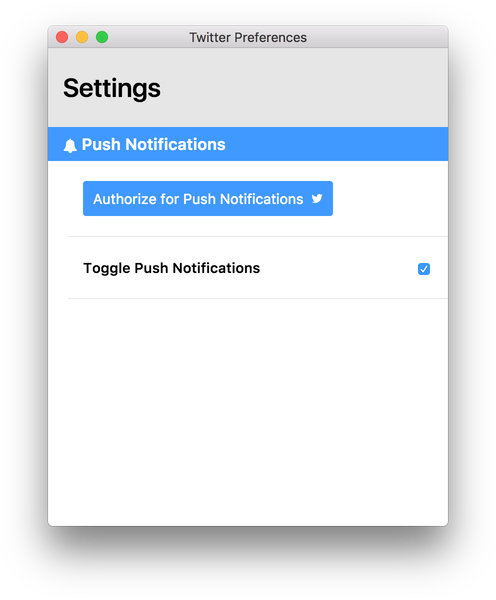
To solve this, I had to use Twitter’s Streaming API to pull mentions and retweets, then use Electron’s native Notification module to fire notifications.
Of course, there are significant drawbacks with using this application:
- Notifications currently only work for mentions and retweets, no likes or DMs. (I can already see a way around this, but later)
- Besides signing in to see your Twitter feed, you still have to authorize the application for notifications to even work at all.
- Also, the web app is going to prompt the user to enable notifications and regardless of whatever they choose, it won’t work. The user still has to go to preferences to authorize and enable them.
It’s in very early stages and I’m sure there are definitely bugs that will need squashing but it’s open source, you can drop issues & contribute here.
If you want to give it a whirl, download it here. Let me know what you think.
S/O to Ire Aderinokun for the Preferences window UI.